
Learn how box UV unfolds 3D cubes onto a flat PNG, why 4D skins expand the texture space to 128x128, and which rules keep your texture valid.
Why 4D skins enlarge the 64x64 canvas
A standard Bedrock skin uses a 64x64 pixel PNG (or 64x32 in the legacy layout), and almost the entire 64x64 grid is already full. Standard player parts fill the canvas from the head at 0,0 and hat layer at 32,0 down to the arm, leg, sleeve, and pants regions reaching 48,48.
When you add 3D cubes for ears, tails, or wings, extra cubes need free space so they do not borrow pixels from your character's face or shirt. Real 4D packs commonly use a 128x128 UV space (and a handful declare 256x256), while our Quick 4D Maker keeps the original base skin untouched in the top-left 0,0 to 64,64 corner and places extra cubes in the empty area to the right and below.
Keep one caveat in mind: official creator documentation states that custom models cannot be added through the skin pack JSON. Custom geometry relies on undocumented behaviour seen in real packs and may not show its extra parts on current versions or on every platform, which has not been confirmed in the game. If the game ignores the custom geometry, the expected outcome (not confirmed in the game) is that it may show the flat standard player shape and a wrong-looking texture.
How box UV unfolds a cube
In format_version 1.8.0 - the layout used by most real 4D packs - every cube uses box UV mapping written as "uv": [u, v]. While 1.12.0 adds per-face uv objects, box UV unfolds all six faces of a cube of "size": [w, h, d] into one rectangle measuring (2 * d) + (2 * w) texels wide by d + h texels tall, starting at its top-left [u, v] corner.
Take the cat-ear bone s4_cat_ears_1_l in geometry.Ears_Starter.Ears with "size": [3, 2, 2] (w = 3, h = 2, d = 2) and "uv": [65, 0]. Its width is (2 * 2) + (2 * 3) = 10 texels and its height is 2 + 2 = 4 texels, so this cube needs a 10x4 texel rectangle spanning from 65,0 to 75,4 just to the right of the 64x64 base skin.
Inside that 10x4 rectangle, faces always sit in two horizontal bands. Top and bottom sit in the first rows (d = 2 texels tall): after 2 unused corner texels on the left, the 3x2 top face and 3x2 bottom face sit side by side, followed by 2 unused texels on the right. Underneath them, the four vertical sides form one strip h = 2 texels tall and 10 texels wide (2x2, 3x2, 2x2, and 3x2 edge to edge).
{
  "format_version": "1.8.0",
  "geometry.Ears_Starter.Ears": {
    "texturewidth": 128,
    "textureheight": 128,
    "bones": [
      {
        "name": "head",
        "parent": "body",
        "pivot": [0, 24, 0],
        "cubes": [
          { "origin": [-4, 24, -4], "size": [8, 8, 8], "uv": [0, 0] }
        ]
      },
      {
        "name": "s4_cat_ears_1_l",
        "parent": "head",
        "pivot": [3, 32, 0],
        "rotation": [0, 0, 6],
        "cubes": [
          { "origin": [1.5, 31.5, -1], "size": [3, 2, 2], "uv": [65, 0] }
        ]
      }
    ]
  }
}uv [65, 0] (total: 10 wide x 4 tall)
+------+---------+---------+------+
| -- | TOP | BOTTOM | -- | 2 tall (d)
| 2x2 | 3x2 | 3x2 | 2x2 |
+------+---------+------+--+------+
| SIDE | SIDE | SIDE | SIDE | 2 tall (h)
| 2x2 | 3x2 | 2x2 | 3x2 |
+------+---------+------+---------+Declared UV size versus HD PNG size
Custom models in geometry.json declare their virtual grid with texturewidth and textureheight in 1.8.0, or texture_width and texture_height inside description in 1.12.0. All uv coordinates and cube sizes use this declared UV grid rather than counting raw image pixels.
In real packs, the PNG dimensions can be an exact whole multiple of the declared UV size to create an HD texture on the same layout. When a 128x128 UV model uses a 128x128 PNG, one texel equals one pixel; if you supply a 256x256 PNG for that same 128x128 geometry, every texel becomes a 2x2 pixel block without changing any uv numbers.
Atlas packing, thin plates, and cutouts
When you add accessories in the Quick 4D Maker, it arranges the texture atlas automatically. The base skin keeps the 0,0 to 64,64 area, and every part cube gets its own dedicated box-UV rectangle in the free space to the right of and below the base skin, never overlapping or sharing texels.
The Quick 4D Maker starts with a 128x128 UV space (its Compact setting tries 128x64 first) and grows to 256x256 when needed, blocking export if parts cannot fit into 256x256. A 64x64 base skin outputs a PNG equal to the UV space, whereas a 128x128 HD skin outputs a PNG twice that width and height.
For detailed shapes like butterfly wings, fairy wings, or glasses, you do not need dozens of tiny cubes. Pack authors say you can build thin plate cubes with cut-out transparency in the 4D skin editor and leave surrounding pixels transparent on the Paint tab so unpainted alpha areas may look invisible, though how the game renders them has not been confirmed in the game.
Rules for a valid texture and validator reports
Four rules keep a 4D skin texture clean and valid: stay inside the declared UV bounds so no cube's 2d + 2w by d + h rectangle crosses the edge, do not overlap the 0,0 to 64,64 base skin, ensure the PNG width and height are an exact whole multiple of the declared UV size, and save the image as an RGBA PNG with an alpha channel (official changelogs note that PNGs without alpha stopped being accepted as custom skins).
Before testing a pack, check it with the pack validator, the Skin validator inside the 4D skin editor, or Pack check in the Quick 4D Maker. Errors block export in our editors when UV rectangles spill outside the texture, when a texture is missing or not a whole multiple of the UV size, when per-face uv objects are used with 1.8.0, or when a pack ships unusable console handheld texture formats instead of PNG. Warnings do not block downloads, flagging cases like oversized HD atlases not known to load or a legacy 64x32 PNG paired with 64x64 geometry.
Common mistakes
- Saving a skin PNG without an alpha channel: RGB PNGs without transparency stopped being accepted according to official changelogs, so always export an RGBA PNG.
- Scaling a PNG to a non-multiple size: Pairing a 128x128 UV layout with an odd image size breaks alignment and triggers validator errors; use 128x128 or an exact whole multiple like 256x256.
- Placing
uvtoo close to the right or bottom edge: Remember that[u, v]is only the top-left corner, so check thatu + 2d + 2wandv + d + hstay insidetexturewidthandtextureheight. - Using per-face
uvunder1.8.0: Old-layout geometry only supports box UV ("uv": [u, v]); either switch your cubes to box UV or export as1.12.0.
Questions and answers
Can I fit small extra cubes into a 64x64 texture without resizing to 128x128?
Some real 4D packs stay at 64x64, and you may be able to fit tiny cubes into the few unused areas of the 64x64 layout, though space runs out fast and expanding to 128x128 keeps extra cubes separate from the base skin.
Why does the validator flag my 64x32 PNG when the geometry declares 64x64?
Some community packs ship a legacy 64x32 image with 64x64 geometry; our 3D skin viewer upgrades it by mirroring the right arm and leg into the left-limb areas, and the game is assumed to do the same, though this has not been confirmed in the game. Converting the PNG to 64x64 removes the mismatch.
What happens if I use a 128x128 HD skin with many parts in the Quick 4D Maker?
Because an HD base skin doubles the PNG pixels relative to the UV space, expanding the UV atlas to 256x256 produces a very large PNG. Pack check allows the download with a warning because textures above 256x256 are not corroborated in real packs and are not known to load.
Why would my 128x128 texture look scrambled on a flat player body?
Custom models in skin packs are not officially documented and a 4D skin may not show its extra parts on current versions. If the game ignores the custom geometry, the expected outcome (which has not been confirmed in the game) is the flat standard player shape and possibly a wrong-looking texture.
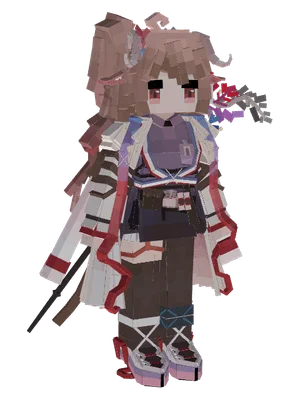 5D
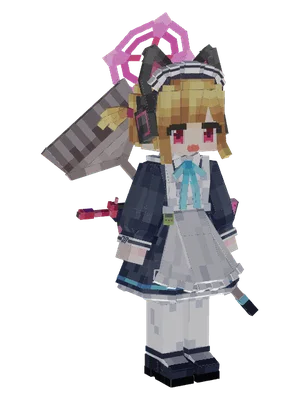 4D
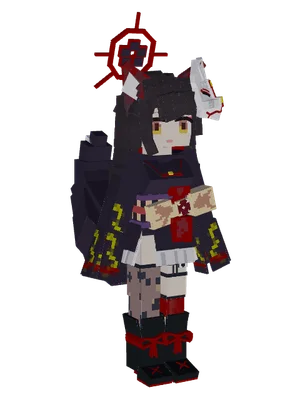 4D
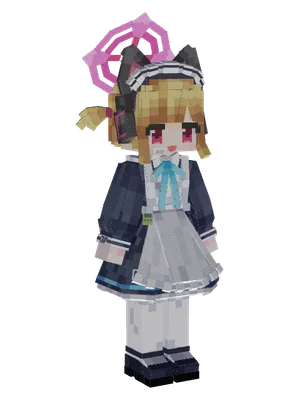 4D
 4D
 4D