
A reference to PNG texture dimensions, UV sizes, and layout coordinates for standard Bedrock skins and custom 4D skins.
Documented sizes and what real 4D packs use
Official creator documentation states that the recommended skin size is 64x64 pixels for the standard layout, or 64x32 pixels for the legacy layout. No official maximum texture size is documented.
In the real 4D packs we measured, 64x64, 128x128, and legacy 64x32 dominate. A handful of packs in the wild declare 256x256, and nothing larger is corroborated in real files. You can see a full comparison of these dimensions in the table below.
Keep in mind that official skin pack documentation says custom models cannot be added to skin packs through the skin pack JSON; the only documented geometry values are geometry.humanoid.custom and geometry.humanoid.customSlim. Because custom geometry.json files rely on undocumented behaviour that has not been confirmed in the game, a 4D skin may not show its extra parts on current versions or on every platform. If the game ignores the custom geometry, the expected outcome is the flat standard player shape and a possibly wrong-looking texture.
PNG format requirements (32-bit RGBA)
According to an old official changelog, 24-bit PNG files without an alpha channel stopped being accepted as valid custom skins. Always save your skin textures as 32-bit RGBA PNG files, even if the skin has no transparent parts.
A few community packs ship textures in a console handheld format instead of PNG. These files are unusable, and our pack validator reports them as errors.
Declared UV size versus PNG pixel size
In real 4D packs, custom geometry declares its own UV coordinate space independently of the actual PNG image dimensions. In the old geometry format (1.8.0, 1.10.0, 1.11.0), this is set with texturewidth and textureheight. In the new format (1.12.0), it is set inside description using texture_width and texture_height.
All uv numbers on cubes are measured in units of that declared size. To make an HD texture on the same UV layout, real packs use a PNG whose pixel width and height are an exact whole multiple of the declared UV size. For example, a geometry declaring a 64x64 UV space can use a 128x128 PNG to get double the pixel density without changing any uv coordinates.
{
  "format_version": "1.8.0",
  "geometry.Ears_Starter.Ears": {
    // Declared UV space in the old layout:
    "texturewidth": 128,
    "textureheight": 128,
    "visible_bounds_width": 2,
    "visible_bounds_height": 4,
    "visible_bounds_offset": [0, 1.75, 0],
    "bones": [
      {
        "name": "head",
        "parent": "body",
        "pivot": [0, 24, 0],
        "cubes": [
          { "origin": [-4, 24, -4], "size": [8, 8, 8], "uv": [0, 0] }
        ]
      },
      {
        "name": "s4_cat_ears_1_l",
        "parent": "head",
        "pivot": [3, 32, 0],
        "rotation": [0, 0, 6],
        "cubes": [
          // UV coordinates are in units of 128x128:
          { "origin": [1.5, 31.5, -1], "size": [3, 2, 2], "uv": [65, 0] }
        ]
      }
    ]
  }
}{
"format_version": "1.12.0",
"minecraft:geometry": [
{
"description": {
"identifier": "geometry.Ears_Starter.Ears",
// Declared UV space in the new layout:
"texture_width": 128,
"texture_height": 128,
"visible_bounds_width": 2,
"visible_bounds_height": 4,
"visible_bounds_offset": [0, 1.75, 0]
},
"bones": [
{
"name": "head",
"parent": "body",
"pivot": [0, 24, 0],
"cubes": [
{ "origin": [-4, 24, -4], "size": [8, 8, 8], "uv": [0, 0] }
]
}
]
}
]
}Standard 64x64 layout and box UV arithmetic
Standard player skins and most 4D models use box UV mapping, where a single [u, v] coordinate marks the top-left corner of the unfolded cube net. A cube of size [w, h, d] takes a rectangle of 2d + 2w texels wide by d + h texels tall starting at its uv corner.
On a standard 64x64 player texture, the top-left [u, v] corners for each body part and its outer layer are fixed at specific coordinates.
head:         0, 0      hat layer:    32, 0
body:        16, 16     jacket:       16, 32
right arm:   40, 16     right sleeve: 40, 32
left arm:    32, 48     left sleeve:  48, 48
right leg:    0, 16     right pants:   0, 32
left leg: 16, 48 left pants: 0, 48Legacy 64x32 layout and how it is upgraded
The legacy 64x32 layout occupies only the top half of the standard 64x64 map. It has no separate left arm, left leg, or body-layer areas (which all sit at v coordinate 32 or 48 in the 64x64 layout).
In real packs, a 64x32 PNG is sometimes shipped with geometry that declares 64x64. The game is assumed to upgrade the 64x32 image to the 64x64 layout by mirroring the right arm and right leg into the left-limb areas, though this has not been confirmed in the game. Our 3D skin viewer performs this exact upgrade so the skin renders cleanly, while our pack validator flags the 64x32 PNG and 64x64 geometry mismatch so you know it is there.
How the Quick 4D Maker builds texture atlases
When you add 3D parts to a skin in the Quick 4D Maker, the base skin keeps the 0,0 to 64,64 area untouched. Every extra part cube gets its own box-UV rectangle in the free space to the right of and below the base skin, never shared and never overlapping.
By default, the tool's UV space starts at 128x128 and grows to 256x256 when needed (if you enable the Compact option, it tries 128x64 first). A standard 64 px base skin exports a PNG the exact size of the UV space, while a 128 px HD base skin exports a PNG twice that size. If you add so many parts that they do not fit into the 256x256 UV space, the Quick 4D Maker blocks the export because the atlas is full.
Texture sizes at a glance
| Size | What it is | Status |
|---|---|---|
| 64x32 | Legacy layout: one arm and one leg, mirrored | Officially recommended (legacy); common in old packs |
| 64x64 | Standard layout with outer layers | Officially recommended (standard) |
| 128x128 | HD skin, or a 4D atlas with room for extra cubes | Common in real 4D packs |
| 128x64 | Compact 4D atlas of the Quick 4D Maker | Written by our tool; rare in real packs |
| 256x256 | Large 4D atlas or HD skin with parts | Declared by a handful of real packs |
| Larger | HD skin with a large atlas | Not corroborated; the validator flags it |
Common mistakes
- Saving a skin as a 24-bit RGB PNG: 24-bit PNG files without an alpha channel stopped being accepted as valid custom skins. Export your texture as a 32-bit RGBA PNG instead.
- Scaling the PNG without checking the declared UV size: If your PNG size is not an exact whole multiple of
texturewidthandtextureheight(ortexture_widthandtexture_height), the UV boxes will not line up with the artwork. Keep the PNG dimensions equal to, or a whole multiple of, the declared geometry UV size. - Pairing a 64x32 PNG with 64x64 geometry: While our 3D skin viewer upgrades a 64x32 image by mirroring the right limbs, this upgrade is only assumed and has not been confirmed in the game. Convert the texture to a true 64x64 PNG or match the declared geometry size to the image.
- Adding more parts than a 256x256 atlas can hold in the Quick 4D Maker: Because every added cube gets its own non-overlapping box-UV rectangle, very large part combinations will fill the 256x256 UV limit and block export. Remove a few parts if the atlas becomes full.
Questions and answers
What is the maximum texture size for a Bedrock 4D skin?
No official maximum texture size is documented. In the real 4D packs we measured, 64x64, 128x128, and 64x32 dominate, a handful declare 256x256, and nothing larger is corroborated; our pack validator warns if you use sizes beyond what is seen in real packs.
Why does my 256x256 PNG have 128x128 written in geometry.json?
In real packs, the geometry declares the UV coordinate grid (texturewidth and textureheight), while the PNG can be an exact whole multiple of that grid to provide HD resolution on the same UV layout.
Will a 128x128 or 256x256 4D skin show its 3D parts in my game?
Official documentation states that custom models cannot be added to skin packs, and custom geometry has not been confirmed in the game across current versions and platforms. A 4D skin may not show its extra parts, and if the game ignores the custom geometry, you will see the flat standard player shape with a possibly wrong-looking texture.
How can I check what texture size a skin pack uses?
On our catalog pages, every skin lists its measured texture size, or you can filter by 64x32 old layout, 64 px, 128 px HD, or larger. For your own .mcpack files, run them through our pack validator to check the PNG format and declared UV dimensions.
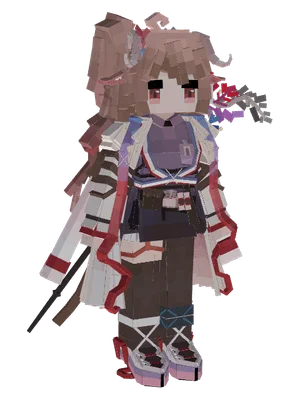 5D
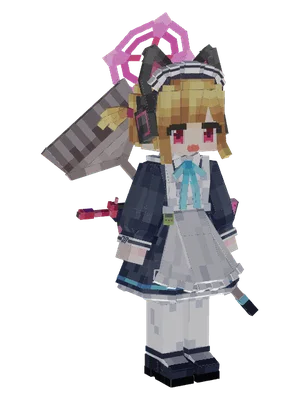 4D
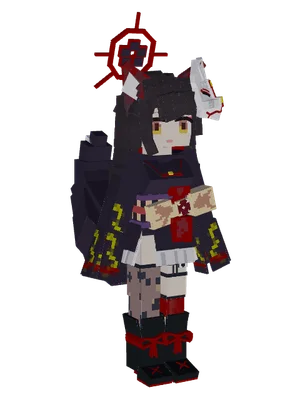 4D
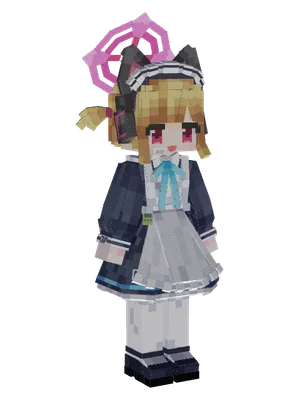 4D
 4D
 4D